How to Apply for a Driving License Online from Your Mobile
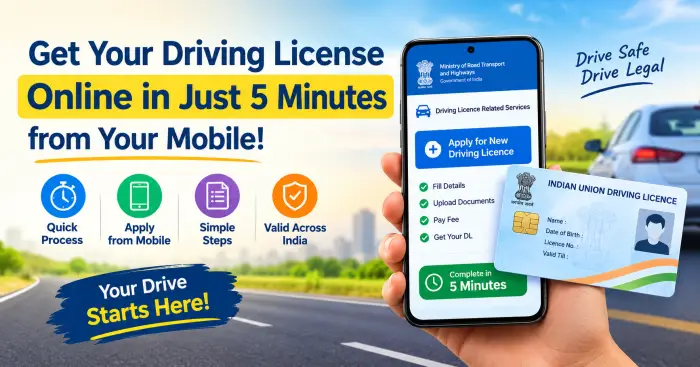
How to Apply for a Driving License Online Using Your Mobile?
Nowadays, most government services are available online, making it possible to complete many important tasks from home using a mobile phone. A Driving License is also one of them. If you want to get a new Driving License, you can apply for it online. This can help reduce the time and effort required to visit an office unnecessarily.
In this article, let’s understand what a new Driving License is, who is eligible, what documents are required, and how to apply online using a mobile phone.
What is a Driving License?
A Driving License or DL is an official document issued by the Regional Transport Office (RTO) that allows a person to legally drive motor vehicles on public roads. It is one of the most important documents required for driving a vehicle. In addition, it can also be used as an identity document in some situations.
Types of Driving License
Depending on the type and use of the vehicle, Driving Licenses can be of different types. Some commonly found types include:
- Learner’s License
- Permanent Driving License
- Transport Vehicle License
- Motorcycle License
- Light Motor Vehicle (LMV) License
- Heavy Motor Vehicle (HMV) License
- International Driving Permit
- Licenses for certain special situations
You should choose the appropriate License depending on the type of vehicle you want to drive.
Age Eligibility for Getting a Driving License
There are certain rules regarding the applicant’s age and the type of vehicle for getting a Driving License.
- For some two-wheelers up to 50cc, eligibility may be available at the age of 16.
- For geared two-wheelers and LMV vehicles, the applicant generally needs to be 18 years old.
- To drive a Transport Vehicle, the applicant generally needs to be 20 years old.
In addition, the applicant should have the required physical and mental fitness. A vision test and, if required, a Driving Test may also need to be completed.
Documents Required for a Driving License
It is better to keep the required documents ready before applying for a Driving License online. Generally, the following documents may be required:
- Aadhaar Card
- Passport
- Voter ID
- PAN Card
- Utility Bill
- Bank Passbook
- Proof of Date of Birth or Birth Certificate
- SSLC Certificate
- Rent Agreement, if required
- Passport Size Photograph
- Medical Form 1, if required
- Learner’s License for a Permanent Driving License
The required documents may vary depending on the type of application and local RTO rules.
How to Apply for a Driving License Online Using a Mobile
The process of applying online for a new Driving License is not very difficult. You can follow the steps below.
1. Open the Official Online Portal
First, go to the Driving Licence-related services through the Parivahan Online Portal or mParivahan. There, you need to select your state and the relevant RTO.
2. Select New Driving Licence
Go to the Driving Licence Related Services section and select the “New Driving Licence” option. Then enter the personal information requested.
3. Upload the Required Documents
Scan the documents requested in the application clearly or take photographs of them and Upload them. Check whether the name, address, and other information on the documents are correct.
4. Pay the Application Fee
The required fee can be paid online using a Card, UPI, or Net Banking. After making the payment, keep the Receipt or Transaction Details safely.
5. Complete the Driving Test
If required, you may need to appear for a Driving Test at the designated RTO. After successfully completing the test, the next steps will be processed.
6. Submit the Application
After checking all the information and documents, Submit the application. After submitting the application, you may receive an Application Number or Receipt Number. Keep this number safely.
7. Check the Application Status
You can Track the application status Online. You may also receive information about different stages of the process through SMS.
8. Get the Digital Driving License
After the Driving License is issued, if available, you may get the Digital Driving License through the official App or the relevant Digital Service.
Things to Keep in Mind While Applying
Keeping a few simple things in mind while applying for a Driving License online can make the process easier.
- Get a Learner’s License first, if required.
- Select the correct RTO.
- Upload all documents clearly.
- Keep the Application Number safely.
- Keep checking the SMS and Online Status.
- Always try to use the latest official Portal or App.
Is It Necessary to Visit the RTO Office?
The complete Driving License application process may not be the same for everyone. In some situations, most of the process can be completed Online. However, if a Driving Test or other verification is required, you may need to visit the RTO office at the scheduled time.
Therefore, it is important to pay attention to your Application Status and the instructions provided by the RTO while applying.
Can a Digital Driving License Be Used?
After the Driving License is issued, its Digital Version may be obtained through the available official Digital Service. If the License is linked with DigiLocker or the official App, it may be used.
However, the rules and acceptance of a Digital License may change. Therefore, it is better to check the information from official sources whenever required.
Frequently Asked Questions
Can a Driving License be obtained in 5 minutes?
In some situations, the process of applying or completing certain stages may take a short amount of time. However, there is no guarantee that the complete Driving License will be obtained within 5 minutes.
Is it mandatory to visit the RTO office?
The same rules do not apply to every application. If required, you may need to visit the RTO for a Driving Test or other verification.
Can foreign citizens get a Driving License?
Foreign citizens may need to provide some additional documents and follow certain additional rules. In such situations, it is better to get information from the concerned RTO.
What is the minimum age to get an LMV Driving License?
For LMV vehicles, the applicant generally needs to be 18 years old.
Is a Learner’s License required?
A Learner’s License is generally required before getting a Permanent Driving License.
What should you do if the application is rejected?
If the application is rejected, the reason may be available through SMS or Online Status. Check the reason and, if necessary, proceed with the correct information or documents.
Is a Digital Driving License valid?
A Digital Driving License linked through an official Digital Service or DigiLocker may be used. However, it is better to check the relevant rules from official sources.
Final Words
Today, many Driving License-related processes have become Digital, making it easier than before to apply from home using a mobile phone. By providing the correct information, keeping the required documents ready, and selecting the appropriate RTO, the process can be completed more easily.
However, it cannot be said that every application will be Approved immediately or that the process will be the same for everyone. Rules, fees, and eligibility may vary depending on the state and RTO. Therefore, before applying, it is better to check the latest information from the official Parivahan Portal or your local RTO.
Disclaimer: The rules, fees, eligibility requirements, and procedures related to Driving Licenses may vary depending on the state and RTO. Therefore, before applying, check the latest information from the official Parivahan Portal or the concerned RTO.